Goldie: Schedule Appointments
- 4.8
- Rating
- 500.00K
- Installs
- Free
- Price

 Analysis by App-foxy
I tend to judge appointment apps by one practical question: do they reduce the back-and-forth that happens before a booking is confirmed? Goldie: Schedule Appointments is built for that exact problem. It is a productivity app from Quartet that brings bookings, payments, and reminders into one business-planning workflow. After using it as a small-service scheduling tool, I found its appeal easy to understand: it is less about managing a large organization and more about giving an independent professional a cleaner way to handle appointments.
The app is free to download, has an Everyone content rating, and is available for devices running Android 8.0 or later. Its current version is 62.0.1, and the app has passed over 500 thousand installs. Those figures matter less than the type of user it serves, though. If you work alone, take appointments directly from customers, and want something more organized than a notebook or a chat inbox, this is the kind of tool worth considering.
How I Decided Whether Goldie Was a Good Fit
My first decision criterion was setup effort. A scheduling tool can have a long feature list and still be a poor choice if a solo business owner needs hours to configure it. Goldie makes more sense when the goal is to start accepting appointments without building a complicated operating system around the business. The central workflow is familiar: define what you offer, make booking possible, keep track of the calendar, and use reminders to reduce missed appointments.
You May Also Like

 Blood Strike: 2.5 Anniversary
Blood Strike’s Loadouts Turn Every Drop Into a Tactical Gamble
A close look at Blood Strike’s custom loadouts: how fast access to signature weapons reshapes its battle royale rhythm, rewards preparation, and narrows the gap between fights.

 Pandora - Music & Podcasts
Pandora’s Music Is Easy to Start, but Harder to Recover
Pandora’s strength is its low-effort path from a seed to a station. Its weak spot is how much confidence it asks you to place in connection, setup, and quiet recovery.

 8 Ball Pool
 Is Built on Rivalries, Rematches, and Routine
A close look at the rivalries, rematches, shared routines, and unanswered safety questions that turn a quick pool match into a persistent mobile community.

 Samsung Music
’s Quiet Strength Is Playing What You Already Own
Its reach comes less from spectacle than from dependable access to a personal library. That simplicity is both the app’s strongest retention engine and its ceiling.

 AccuWeather: Weather Radar
AccuWeather Review: A Quick, Clear Forecast for Everyday Decisions
For everyday plans, the best forecast is the one you can understand quickly. AccuWeather makes rain timing, radar, and local conditions easy to act on, with a few trade-offs.

 Hill Climb Racing
Why Hill Climb Racing Still Turns Crashes Into One More Run
A tiny car, a bumpy hill and one more upgrade: Hill Climb Racing keeps resurfacing because its simple chaos makes every near-miss feel personal.
More From Our News Desk
View All News


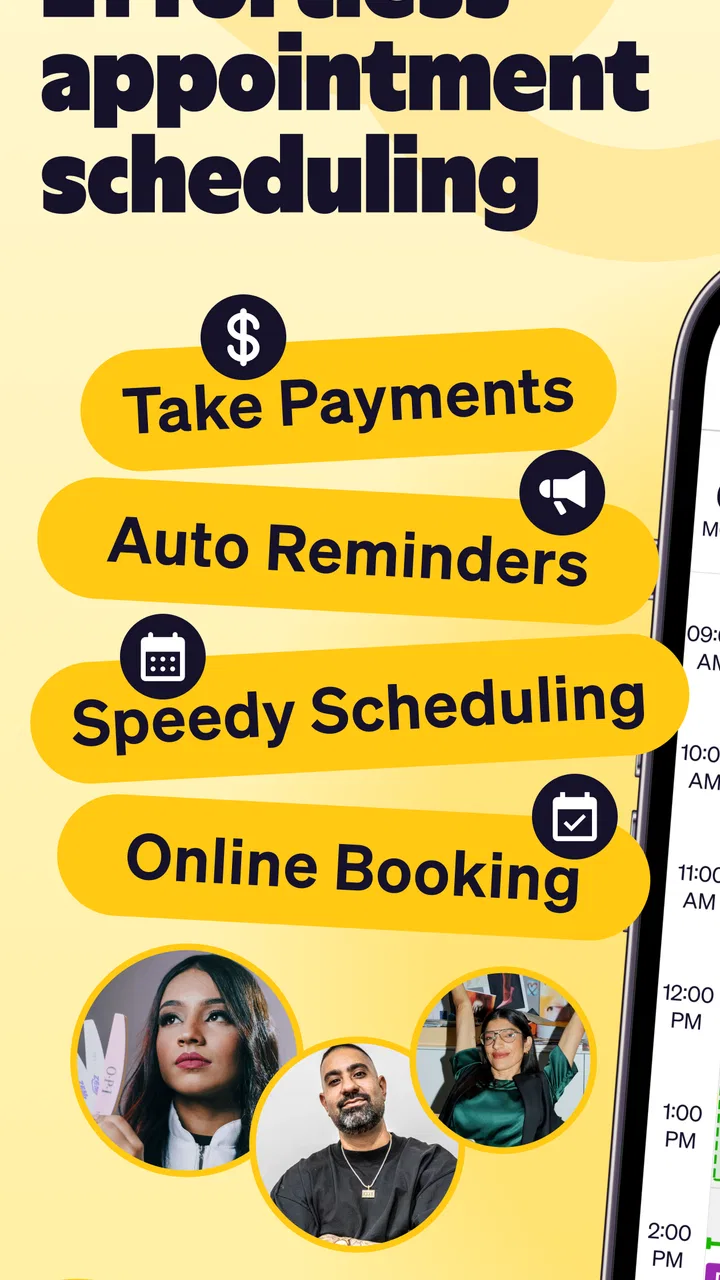
The second criterion was whether it could cover the whole booking journey rather than only display a calendar. A calendar tells me when I am busy, but it does not necessarily help a customer choose a time, receive a reminder, or complete a payment. Goldie is positioned around that broader journey. That makes it more useful for people such as beauty professionals, tutors, consultants, therapists, repair specialists, or other appointment-based workers who need a direct connection between a service and a time slot.
I also looked at how well the app could support a repeatable routine. The best scheduling habit is not checking an app constantly; it is setting up a process that behaves consistently. I would use Goldie to keep service names and durations clear, separate working availability from personal commitments, and review the day before opening it to customers. That preparation is more important than any individual button because it prevents customers from selecting times that look free but are not realistic.
A final criterion was cost. Goldie is free, but it also offers in-app purchases ranging from $2.99 to $199.99 per item. That wide range tells me to inspect the plan details carefully before depending on paid capabilities. A free starting point is valuable for testing the workflow, while a business that relies on advanced or higher-volume functions should calculate the ongoing cost before moving all bookings into the app.
The practical workflow I found most useful
For a small business, I would begin by entering only the services that customers actually book. It is tempting to create every possible variation, but a crowded service menu makes booking slower and increases the chance of choosing the wrong duration. I would start with a short list, use plain names, and add enough detail for a customer to understand what they are selecting without sending a separate message.
Then I would treat availability as a promise, not merely an empty space on a calendar. If a session needs preparation or cleanup, that time should influence the schedule even if the appointment itself is shorter. This is one of the less obvious benefits of using a dedicated appointment planner: it encourages me to think in terms of the complete work block rather than the visible meeting alone.
Reminders are especially useful when they become part of the routine instead of an afterthought. I would review them during setup and make sure the timing suits the kind of appointment I offer. A reminder that arrives too early may be forgotten, while one that arrives too late may not give the customer enough time to adjust plans. Goldie’s value here is not that reminders eliminate every cancellation; it is that they reduce the number of customers who simply lose track of an appointment.
Where the app wins for independent professionals
Goldie: Schedule Appointments wins when one person needs a practical bridge between a personal calendar and a customer-facing booking process. A spreadsheet can record appointments, but it usually requires manual updates and separate messages. A general calendar can show availability, but it may not explain services or handle the same booking flow. Goldie is more focused on the business task, which makes it easier to imagine using it every day rather than only for occasional planning.
The combination of scheduling, payments, and reminders is another strong point. Keeping those tasks together can reduce the small gaps where mistakes happen. For example, I might otherwise confirm a time in a conversation, write it into a calendar, send payment instructions separately, and remember to message the customer later. A dedicated workflow gives each booking a clearer place to live.
I also like the way this category of app can create a boundary between work and personal life. When appointments arrive through scattered messages, it is easy to accept a booking during a lunch break or on a day that should remain free. A defined availability schedule makes those decisions visible. The app does not make the boundary automatically, but it gives me a structure for enforcing it.
Another useful scenario is a professional who works from more than one location or offers different kinds of sessions. Instead of relying on memory, I would use separate service entries and availability rules to make the customer choose the appropriate option. That can prevent a common mistake: booking a short service into a time block that was intended for a longer one.
Everyday use: a realistic booking day
Imagine that I run a small appointment-based practice and receive a message while I am already working with someone. With a manual process, I might answer later, forget which times were mentioned, and then return to the conversation with an uncertain suggestion. With Goldie, the better routine is to direct the customer toward the available booking path, let the appointment details remain connected to the selected time, and use the app as the reference point afterward.
Before the day begins, I would check the schedule for gaps that are too short to be useful and confirm that the appointments have enough breathing room around them. During the day, I would avoid changing availability casually, because last-minute edits can create confusion for anyone who has already chosen a slot. At the end of the day, I would review payments and upcoming bookings together so that tomorrow’s work is not hidden across multiple conversations.
This workflow is not glamorous, but it is exactly where a scheduling app earns its place. The benefit comes from fewer tiny decisions: fewer messages asking when I am free, fewer notes that need to be copied into a calendar, and fewer reminders I have to remember to send myself. For a solo operator, that reduction in mental clutter can matter more than a long list of advanced tools.
Where another type of tool may fit better
Goldie is not automatically the right choice for every organization. If I were managing a large team with complex staff permissions, detailed resource allocation, or department-level reporting, I would compare it with a broader business-management platform before switching. A focused appointment app may be easier to use, but larger operations often need controls that go beyond a simple service-and-calendar workflow.
I would also look elsewhere if my work were mainly project-based rather than appointment-based. A task manager or project-planning system is better for deadlines, dependencies, documents, and long-running work. Goldie makes sense when a customer chooses a time for a defined interaction; it is less suitable when the main challenge is coordinating a project that changes over several weeks.
There is a similar distinction with general calendar apps. If I only need to block personal time and share occasional availability with friends or colleagues, a regular calendar may be quicker and simpler. Goldie becomes more compelling when bookings are part of earning income and when reminders or payments belong in the same customer process.
Businesses with unusual booking rules should test carefully before committing. Examples include appointments requiring several staff members, equipment shared across rooms, or pricing that changes according to many conditions. The more exceptions a business has, the more important it is to confirm that the app’s workflow matches those exceptions instead of forcing the owner to keep a second system on the side.
Questions I would settle before moving all bookings
The first question is whether customers can understand the booking choices without personal assistance. I would create a small test set of services and ask someone unfamiliar with my business to choose one. If the person needs an explanation for every option, the problem may be my service menu rather than the app, but the test still reveals whether Goldie can support a clean customer experience.
The second question is how payments fit my business. Since payment tools are part of the app’s purpose, I would check the exact payment flow, timing, and applicable purchase requirements before advertising it to customers. I would not assume that every payment situation works the same way, especially if I need deposits, refunds, split payments, or unusual pricing rules.
The third question is how much automation I actually need. Some businesses benefit greatly from reminders because missed appointments are costly. Others have customers who book through ongoing personal conversations and may not need a formal reminder sequence. I would compare the time saved with the effort of moving customers into a new habit.
The fourth question is what happens when plans change. A useful schedule must cope with cancellations, rescheduling, blocked-off hours, and late changes without leaving an outdated record behind. I would test those actions before inviting real customers, particularly if my business has back-to-back appointments where one incorrect change could affect the rest of the day.
Finally, I would decide whether the paid options are sustainable. The app’s free entry point makes experimentation easier, but the in-app purchase range means the final cost can vary substantially depending on what a business needs. I would start with a limited workflow, measure how often I use bookings, reminders, and payments, and only then decide whether a paid purchase is justified.
The cost of switching from a manual system
Switching from messages, paper notes, or a basic calendar is not difficult because of the first booking; it is difficult because of the existing habits around that booking. I would begin by choosing a clear changeover date and moving only future appointments into Goldie. Keeping old records accessible avoids the pressure to recreate every historical detail before the app has proved useful.
I would also tell regular customers exactly what is changing. A short, direct message explaining where to request a time is better than silently expecting people to discover a new process. For customers who prefer personal contact, I would keep a fallback method during the transition rather than turning the switch into a barrier.
The most important migration task is checking the service list and availability before opening bookings. A wrong duration is more damaging than an incomplete customer history because it can affect several appointments in one day. I would run a few test bookings, cancel them, reschedule them, and inspect the resulting calendar before relying on the system.
There is also a psychological cost. A manual system may feel flexible because I can change anything instantly, while an app asks me to define rules. In my view, that slight loss of improvisation is worthwhile when the business has enough appointments for mistakes to become expensive. If I only book a handful of sessions each month, the switch may create more administration than it removes.
My recommendation for the right kind of user
Goldie is a strong candidate for an independent professional who wants a focused way to organize appointments, reminders, and payments without adopting a large business suite. Its 4.8 average from around 12 thousand ratings and roughly 1.8 thousand written reviews suggest that many users find the overall concept dependable. I would still treat those numbers as a starting signal rather than a substitute for testing the workflow against my own services.
I would recommend trying it if your current system involves repeated “when are you free?” messages, forgotten reminders, or payment details scattered across conversations. Start with a small service menu, realistic availability, and a few test bookings. That approach lets you judge the app by the work it removes rather than by how impressive its feature list sounds.
I would skip it, or at least compare it closely with another category of tool, if you run a complex multi-person operation, need deep project management, or have booking rules that require many resources and exceptions. In those cases, a more specialized enterprise or team platform may justify its extra complexity. Goldie’s advantage is focus, and focus can become a limitation when the business outgrows the basic appointment model.
The app is free to begin with, though in-app purchases from $2.99 to $199.99 per item make it important to understand the cost of the functions you plan to keep. For me, the best decision is not to pay immediately or reject it immediately. I would use the free starting point to build one complete booking routine, test changes and reminders, and then decide whether the paid path saves enough time to earn its place.
Overall, I see Goldie as a sensible productivity companion for people whose work happens in scheduled sessions. It does not need to replace every tool in a business, and it should not be forced into roles it was not designed for. But when the main problem is turning customer requests into organized appointments with fewer manual steps, this is the kind of focused app I would recommend trying first.
FAQs for Goldie: Schedule Appointments
01What is Goldie: Schedule Appointments used for?
Goldie: Schedule Appointments is a scheduling and booking app designed mainly for independent professionals and small businesses. It can help you display your availability, let clients request or book appointments, organize your calendar, and manage customer details. It is particularly useful for beauty professionals, wellness providers, tutors, consultants, and other service-based businesses that want to reduce manual messages and keep bookings in one place.
02Can clients book appointments with me directly through Goldie?
Yes, Goldie is built to make client bookings easier through online scheduling. After setting up your services, working hours, availability, and booking preferences, you can share your booking page or link with customers. Clients can then view available time slots and choose a service without needing to contact you repeatedly. The exact booking and sharing options may depend on your plan and account settings.
03Does Goldie send appointment reminders and notifications?
Goldie can help automate communication around appointments by sending booking confirmations, reminders, and other notifications, depending on the features included in your account or subscription. These messages are useful for reducing missed appointments and keeping clients informed about time, date, and service details. Before relying on reminders, review the notification settings and make sure your contact information and message preferences are configured correctly.
04Is Goldie: Schedule Appointments free to use?
Goldie may offer a free option or trial, but some advanced tools can require a paid subscription or in-app purchase. Pricing and included features may vary by platform, region, and plan. Before downloading or committing to the service, check the current listing and pricing page carefully. Pay particular attention to limits on appointments, staff accounts, payment features, reminders, customization, and any automatic subscription renewal terms.
05Is Goldie suitable for managing payments and customer information?
Goldie can provide more than a basic calendar by helping service providers organize client profiles, appointment history, and business scheduling. Depending on the version and plan, it may also support deposits, payments, cancellation policies, or related booking tools. However, availability can differ by country and subscription level. Businesses should review the app’s privacy policy, payment conditions, and data-handling practices before storing sensitive customer information.
Pros
- Simple interface makes booking and managing appointments quick.
- Helpful reminders can reduce missed appointments and scheduling errors.
- Supports organized client and appointment information in one place.
- Useful for independent professionals and small service-based businesses.
- Accessible scheduling tools can save time compared with manual booking.
Cons
- Some advanced features may require a paid plan or subscription.
- The app may feel limited for larger teams with complex scheduling needs.
- Customization options for branding and appointment types may be basic.
- Users may need to adjust notification settings to avoid excessive alerts.
- Availability and features can vary depending on device or platform support.

Goldie: Schedule Appointments
Gallery